
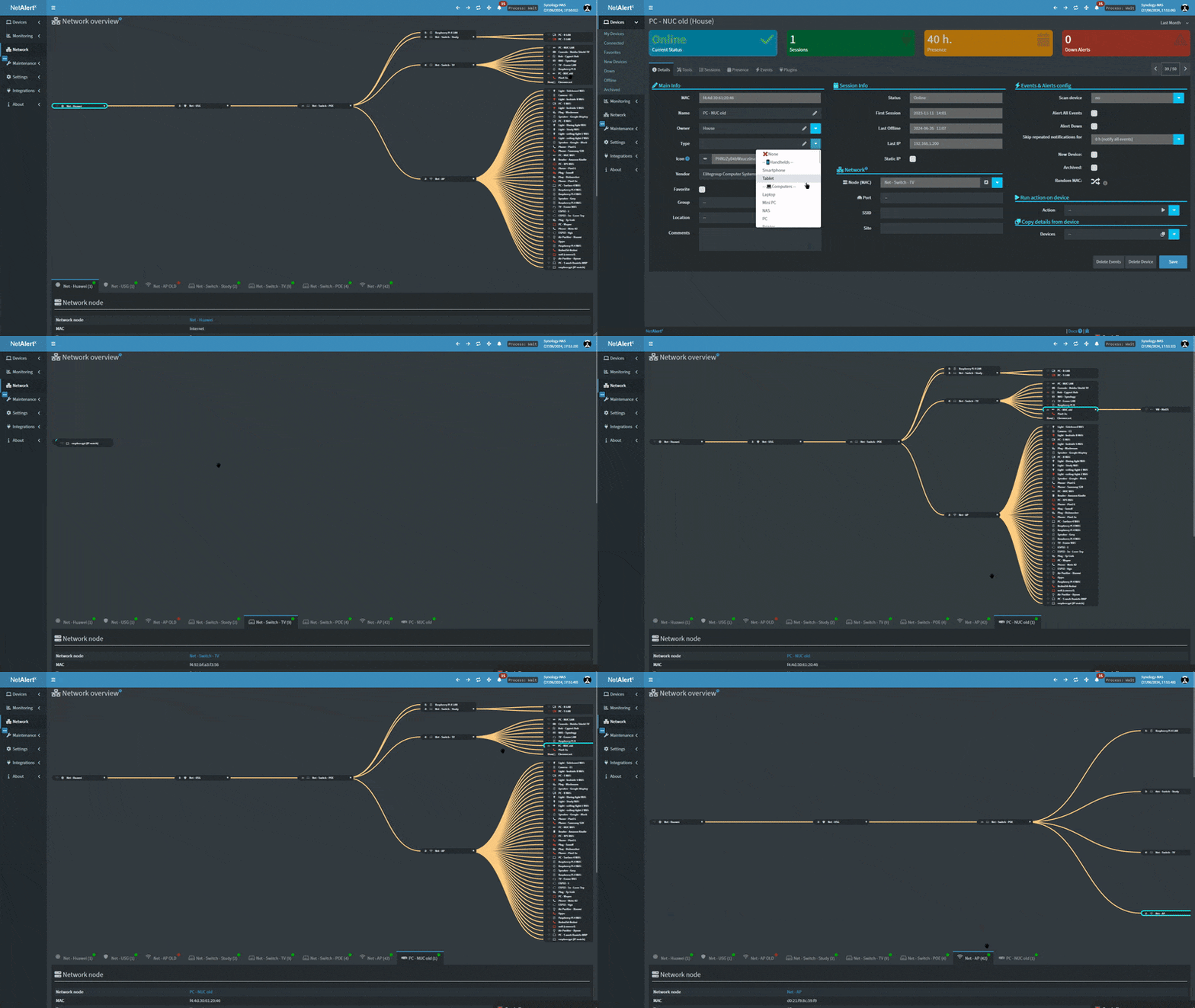
In an era where cybersecurity is increasingly critical, especially in home and corporate networks, the ability to detect intruders, unauthorized devices, and suspicious activities in real time is essential. NetAlertX is a powerful, open-source network scanning and alert system designed to do just that. Whether you’re a tech enthusiast managing your home Wi-Fi or an IT professional overseeing a large LAN environment, NetAlertX offers a comprehensive solution to keep your network secure and functioning smoothly.
In this blog, we’ll take a deep dive into NetAlertX — what it is, how it works, and why it’s an invaluable tool for anyone who wants to ensure the security and stability of their network.
Get visibility of what’s going on on your WIFI/LAN network. Schedule scans for devices, port changes and get alerts if unknown devices or changes are found. Write your own Plugins with auto-generated UI and in-build notification system. Build out and easily maintain your network source of truth (NSoT).What is NetAlertX?
NetAlertX is a flexible, open-source network monitoring system created to help users detect unauthorized devices, monitor port changes, and receive real-time notifications about any unusual activity in their network. Whether you’re dealing with a small home network or a large corporate infrastructure, NetAlertX provides the tools needed to maintain control and oversight of connected devices.
At its core, NetAlertX is designed to give you the ability to:
- Monitor network activity in real-time.
- Detect unknown devices or changes in the network environment.
- Schedule regular scans to ensure continuous protection.
- Receive immediate notifications if any suspicious or unexpected activity occurs.
The system supports various scanning methods, such as ARP scanning, importing data from Pi-hole, and receiving SNMP messages from routers. In addition, it integrates with over 80 notification services, such as Telegram, Pushsafer, and Pushover, so you can stay informed no matter where you are.
Why NetAlertX Is Important
Network security isn’t just about preventing outside attacks; it’s also about knowing what’s happening inside your own network. For instance, a new device joining your Wi-Fi network could be harmless, but it could also be an attacker attempting to gain unauthorized access. Similarly, changes in open ports on your router or firewall could indicate that something malicious is taking place.
This is where NetAlertX shines — it gives you the power to see these changes as they happen and respond quickly. From casual home users to cybersecurity professionals, NetAlertX provides peace of mind by allowing you to monitor and manage your network effortlessly.
Key Features of NetAlertX
NetAlertX stands out because of its flexibility and robust set of features, which cater to users of all skill levels. Let’s break down some of its key capabilities.
1. Scheduled Network Scanning
One of the most convenient features of NetAlertX is the ability to schedule network scans. Instead of manually initiating scans, you can set it up to automatically scan your network at regular intervals — whether it’s every hour, every day, or once a week. This ensures that you’re always aware of what devices are connected and if anything changes without having to constantly monitor it yourself.
By scheduling scans, NetAlertX can continuously keep tabs on your network, and you can customize the frequency based on your needs.
2. Real-Time Alerts
The real magic of NetAlertX lies in its real-time notification system. The moment an unknown device joins your network or there’s a change in the status of an open port, you’ll receive an immediate notification. This is especially important if you’re managing a corporate network or if you need to ensure that only trusted devices are connected to your home network.
With over 80 integrated notification services like Telegram, Pushsafer, and Pushover, you can choose the platform that works best for you. Whether you prefer push notifications, email alerts, or messages in a chat app, NetAlertX ensures you stay informed.
3. Multiple Scanning Methods
NetAlertX is versatile in its approach to scanning your network. It offers a variety of methods, including:
- ARP Scans: Address Resolution Protocol (ARP) scans are used to map IP addresses to MAC addresses on a local network. This allows you to see what devices are connected, identify their manufacturers, and pinpoint unauthorized devices.
- Pi-hole Integration: Pi-hole is an ad-blocking tool for network-wide use, but it also tracks DNS queries. NetAlertX can pull data from Pi-hole’s device records, giving you additional insight into what’s happening on your network.
- SNMP (Simple Network Management Protocol): This protocol allows routers and network devices to send status updates. NetAlertX can use these messages to keep track of the devices in your network and monitor changes in their configuration.
4. Detailed Network Analytics
NetAlertX doesn’t just give you raw data — it provides detailed analytics and insights about your network. You can see which devices are connected, how long they’ve been on the network, and what type of traffic they’re generating. This can be invaluable for troubleshooting issues, managing bandwidth, or spotting potential security vulnerabilities.
5. Customizable Plugins
Another standout feature of NetAlertX is its plugin system, which allows users to extend its functionality. With the right plugins, you can add custom scanning techniques, integrate new services, or even connect NetAlertX with home automation systems like Home Assistant.
The plugin system is a dream for tech enthusiasts and developers who want to tailor NetAlertX to their specific needs. Whether you need specialized scans or integrations with external services, the plugin system offers unlimited customization possibilities.
Installation & Documentation
DocsLink??Docker instructions??️HW install (experimental ?)??Unraid App?All Documentation (App Usage and Configuration)
Use Cases for NetAlertX
NetAlertX is built to be a versatile tool for anyone managing a network, from individuals in their homes to large enterprises. Here are some common use cases:
1. Home Network Security
For the average home user, NetAlertX provides a much-needed layer of protection. You might think your home Wi-Fi is secure, but there could be instances where unauthorized devices connect without your knowledge. Perhaps a neighbor has gained access to your network, or worse, a hacker has found a vulnerability.
With NetAlertX, you’ll know the moment an unknown device connects to your Wi-Fi, allowing you to take immediate action, whether it’s changing your password, blocking the device, or taking more drastic security measures.
2. Corporate Network Monitoring
In a business environment, managing a network involves dealing with a high number of connected devices, each posing potential security risks. NetAlertX can be used by IT teams to:
- Track unauthorized devices connecting to the LAN.
- Monitor open ports and flag any that are vulnerable or suspiciously changed.
- Maintain detailed logs and reports of network activity for auditing purposes.
NetAlertX’s ability to integrate with various alerting services makes it easy to send real-time notifications to your IT team, ensuring swift responses to potential threats.
3. IoT Device Monitoring
With the rise of IoT (Internet of Things) devices, it’s important to keep track of what’s connected to your network. Many IoT devices don’t come with robust security features, which can make them easy targets for hackers.
NetAlertX helps you keep an eye on all the devices in your smart home ecosystem, from security cameras to smart refrigerators. You’ll receive alerts if any IoT device behaves suspiciously, such as opening unexpected ports or communicating with unknown servers.
4. Educational Use
If you’re an educator or student in the field of network administration or cybersecurity, NetAlertX is a great hands-on tool for learning. It provides a real-world look at how network devices communicate and how to identify potential security issues. Students can experiment with different scanning methods, analyze network traffic, and simulate attacks to better understand how to secure a network.
How to Get Started with NetAlertX
Getting started with NetAlertX is straightforward, and since it’s open-source, it’s available for free. Here’s how to set it up:
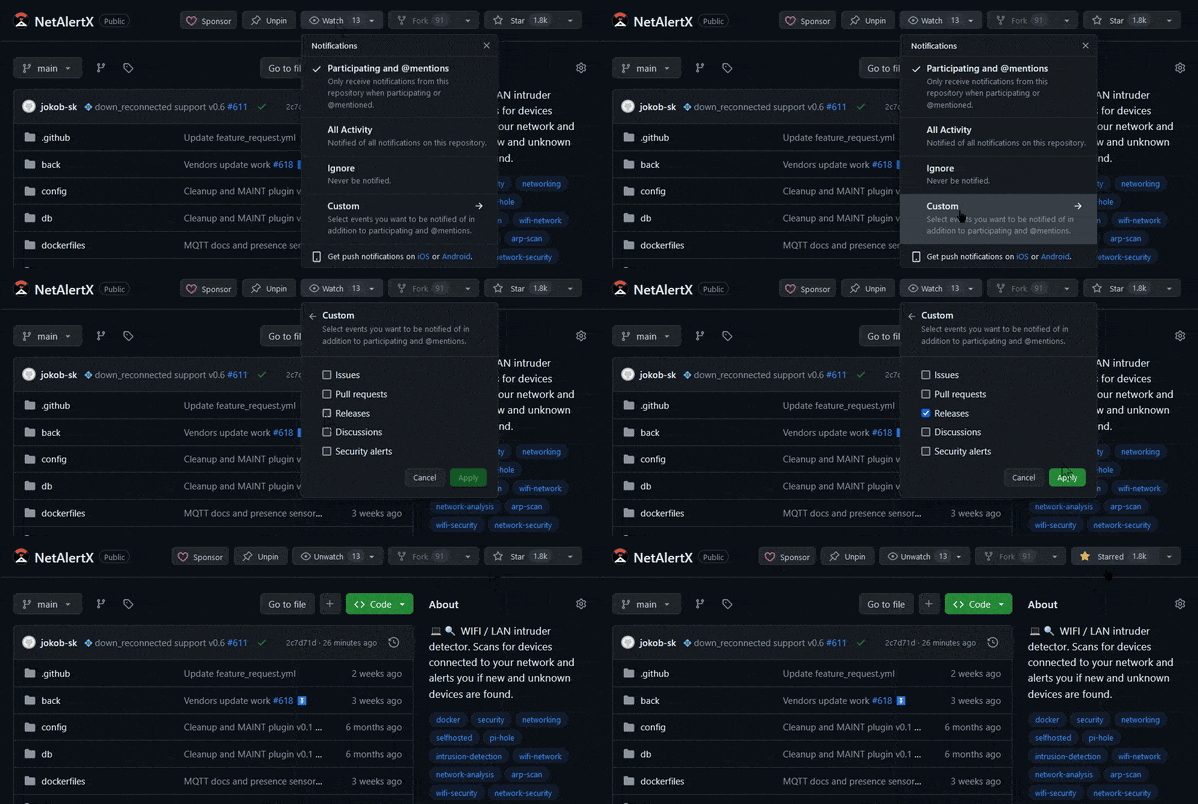
- Download and Install: Head to the NetAlertX GitHub repository and follow the installation instructions. It’s designed to run on Linux, but you can also install it on a Raspberry Pi or a virtual machine.
- Configure Scanning: Once installed, you can set up your network scanning methods. You can choose from ARP scans, Pi-hole integration, or SNMP alerts, depending on your network setup and what you want to monitor.
- Set Up Notifications: Next, configure the notification services that you want to use. Whether it’s Telegram, Pushover, or another service, you can easily set it up to receive alerts on your phone or via email.
- Schedule Scans: Use the scheduling feature to automate network scans. This way, you can have NetAlertX regularly check for new devices or port changes without manually running it each time.
- Customize with Plugins: If you want more functionality, explore the plugin system to add custom features, new scanning methods, or integrations with other tools like Home Assistant.
Conclusion
In today’s interconnected world, keeping your network safe is more important than ever. NetAlertX offers a powerful, customizable solution for anyone looking to monitor their Wi-Fi or LAN for intruders and security risks. Its real-time alerts, flexible scanning methods, and ability to integrate with over 80 notification services make it an essential tool for home users, IT professionals, and even educators.
Whether you’re protecting your home network from nosy neighbors or managing a corporate network with hundreds of devices, NetAlertX ensures you always know what’s going on in your network — and helps you respond quickly when something suspicious occurs.
Check out NetAlertX on GitHub to get started today. Stay safe, stay secure, and let NetAlertX handle the heavy lifting of monitoring your network!